Finding a good location is slow; coloring it is fast, at least for the modes that read one scalar field. The renderer spends nearly all its work computing a field per pixel: the smooth escape value from rendering fundamentals, or whatever the mode measures. For a field mode I keep that field, and every palette I try is just a lookup over the same array. A composite or a direct trap has no single field to keep, so every palette costs a whole render. So I choose each location's palette on its smooth field, whatever mode the wallpaper ends up drawn in. That's one iteration pass per location, and the palette judge sees the kind of picture it was trained on.
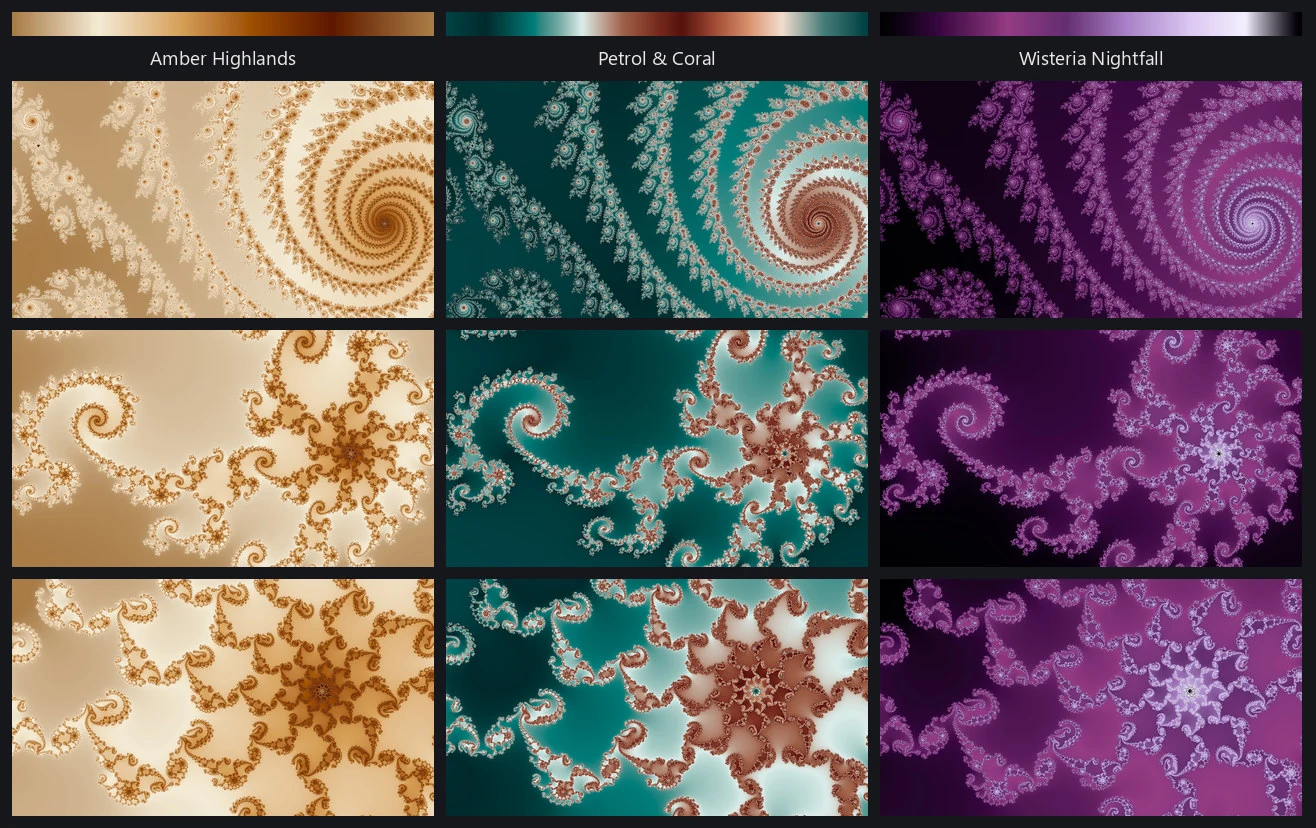
A palette is a short list of color stops from 0 to 1. The engine blends between them in OKLab and bakes the result into a table of 4,096 colors. OKLab is arranged so that distance roughly tracks how different two colors look, so a blend through it stays clean where the same blend in RGB turns muddy: blue to yellow in RGB passes through a dull gray-brown. A cyclic palette ends where it began, so a render can sweep it several times with no seam. A sequential palette has two different ends, so I bake it folded, forward and then back, so that it meets itself.
Where the palettes came from
The library holds a bit over a thousand palettes. About two hundred are converted from scientific plotting libraries (matplotlib, colorcet, and cmasher), and I found the plainer ones dull on a fractal: one hue and one sweep from dark to light. About a third were distilled from fractal pictures in my own wallpaper collection, and those set the standard: a wide range of lightness, darks and lights that still carry a hue, a bright band that reads as light, and at least one real event, such as pure-hue contrast, a big warm-to-cool swing, or several hues in balance. Claude wrote the rest in tracked batches, from prompts I wrote that state those properties as rules and name a mood family for each batch. The prompts ship with the repository and run as-is (make your own palettes).
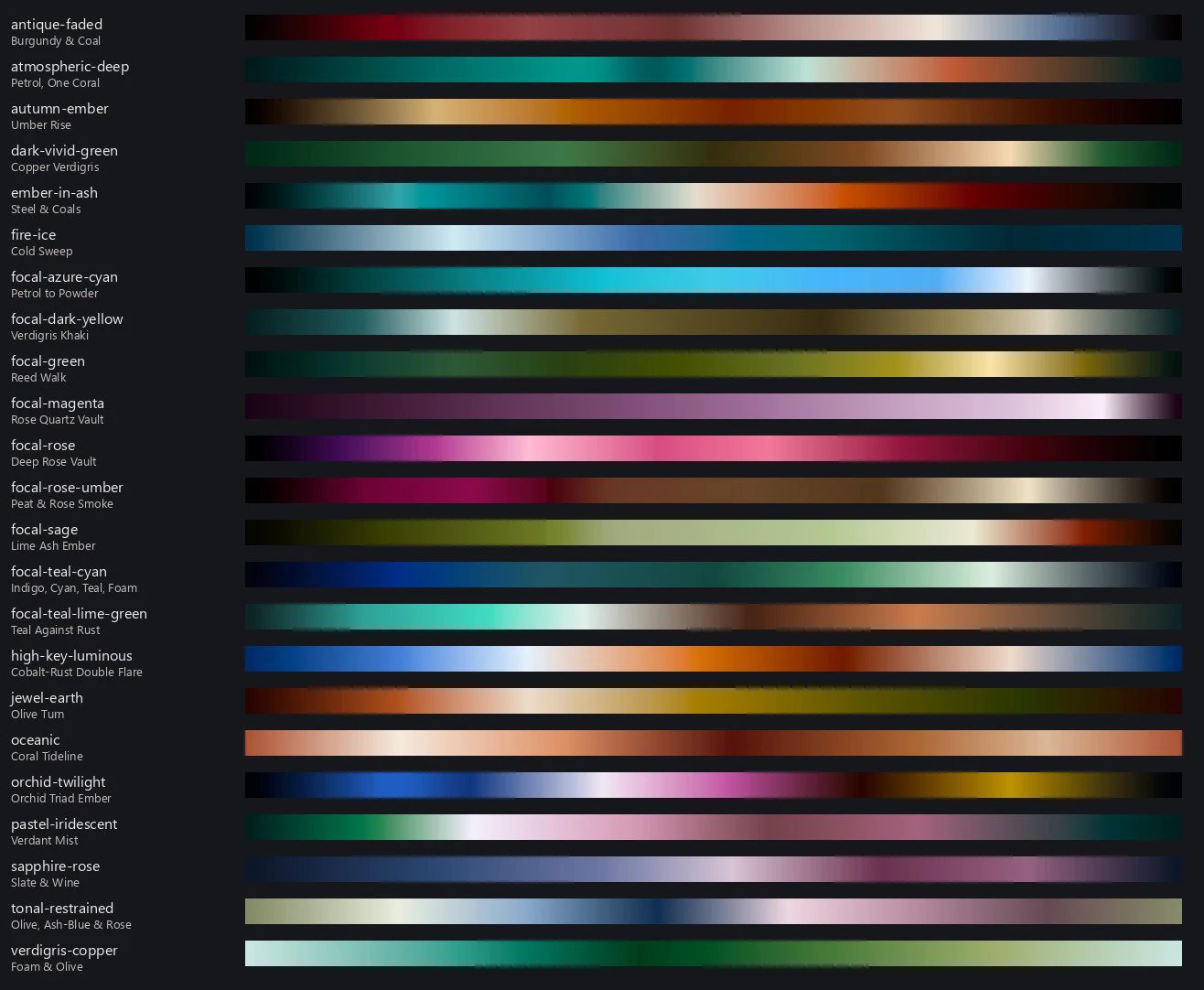
I aimed two hundred of the authored palettes at a gap. Sorting finished wallpapers into fifty-two named colors (twelve hues at two lightnesses and two chromas, plus four neutrals) showed the collection reached very few of them. A whole band, the greens, limes, teals, cyans, and dark yellows, was almost missing, so I added a batch for it. Every one of the forty-eight colored cells now has at least one palette that can make it a picture's dominant color. The figure below shows one palette from each of twenty-three mood families.
The whole library, grouped by each palette's dominant color, is on its own page.
Applying a palette
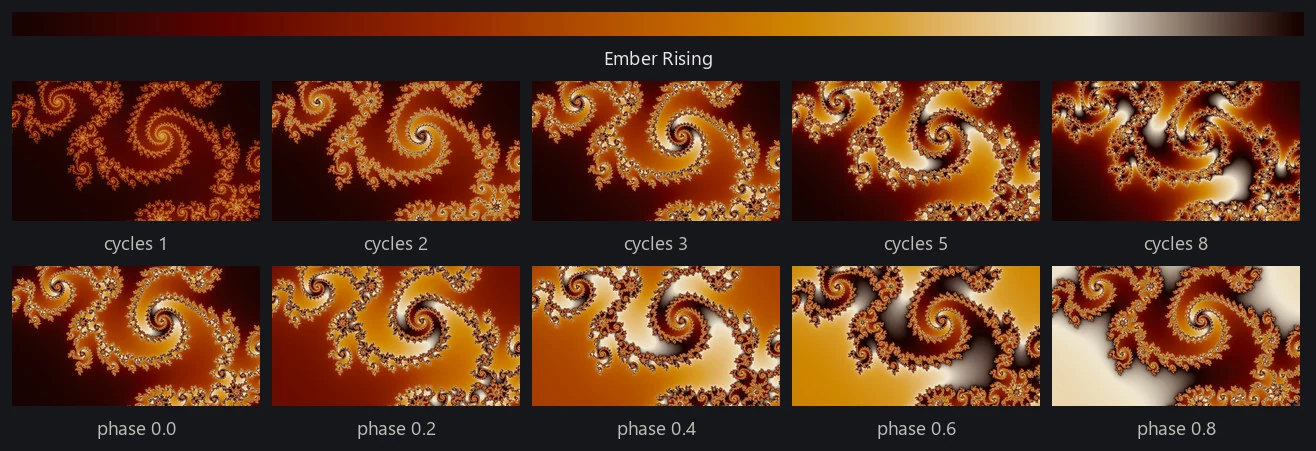
A render places the field value on the palette through a small recipe: gamma, a power applied to the value first; cycles, how many times the ramp is traversed; and phase, where along the ramp it starts. At one cycle a palette reads as a slow wash, and at eight as fine banding that follows the geometry.
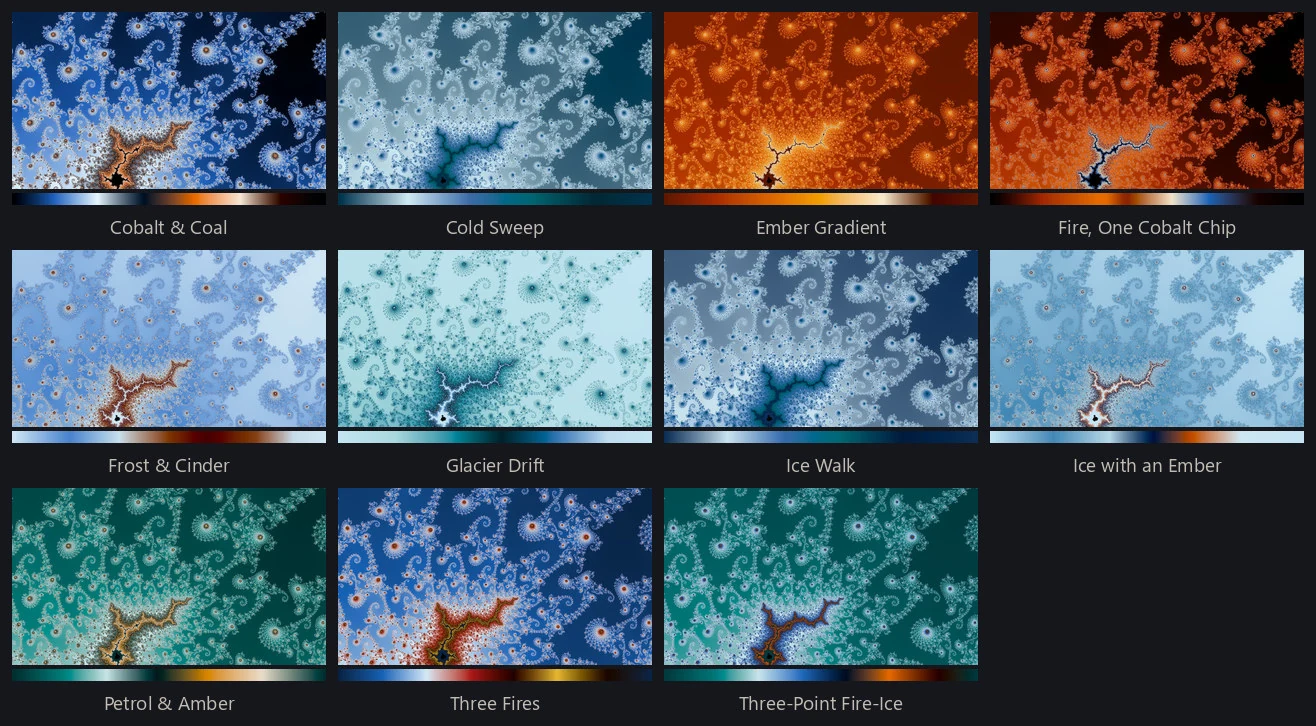
Not every palette sits well on every location. The field decides how much of the ramp a picture uses and where its mass falls, so a palette that's luminous on one location is a dark smear on the next. The figure below changes only the palette; I like a couple of them and not the rest.
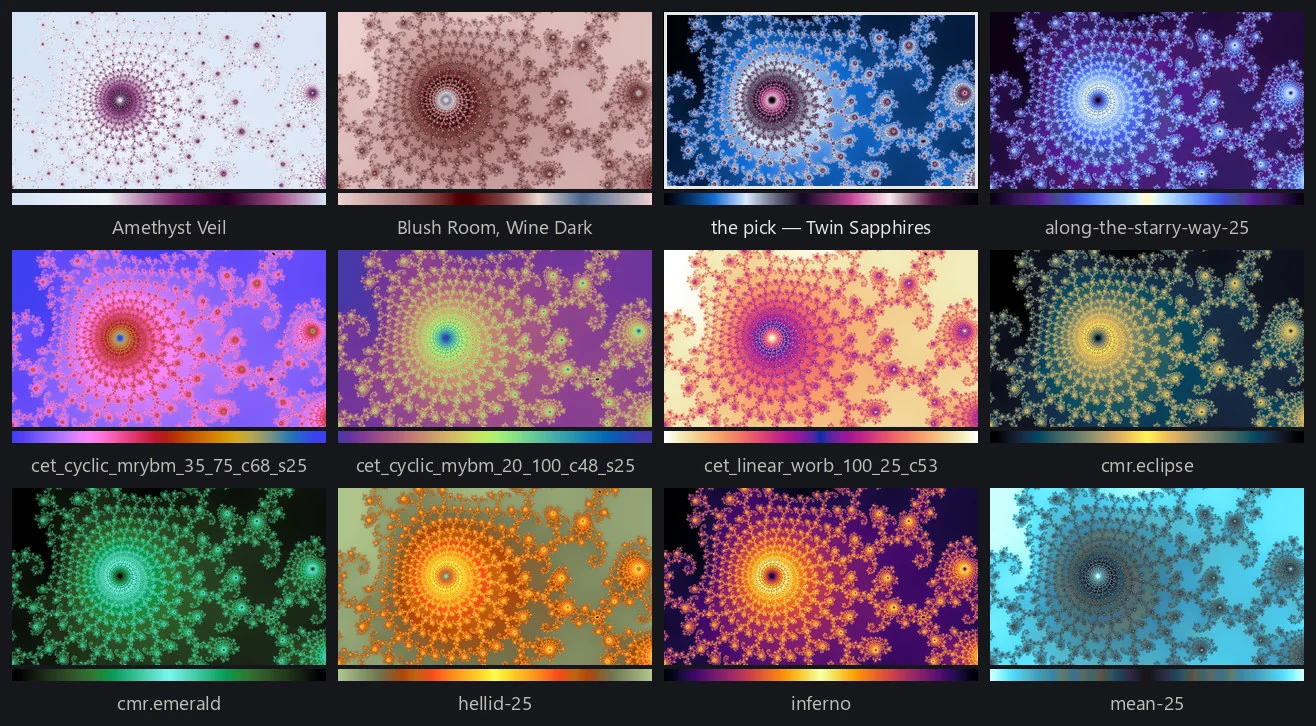
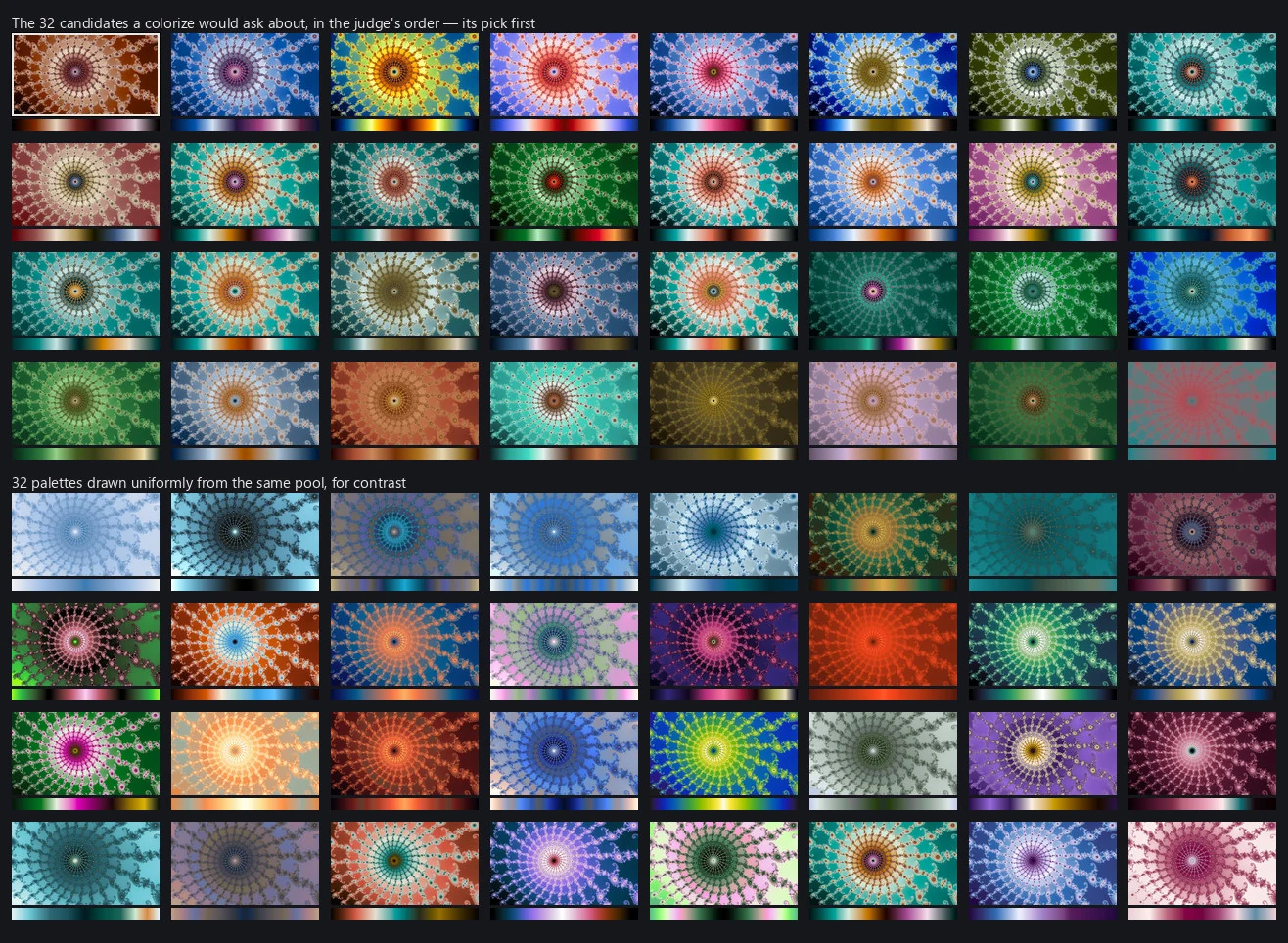
The palette judge makes that call. It has the smallest job of the four judges: given one location and 32 recolorings of its smooth field that differ only in palette, pick one. It's trained only on differences within one set, so its scores mean nothing across locations (models/palette/).
Why diversity has to be built in
A pipeline that only selects for quality converges on a theme. The palettes that score best on the most locations resemble one another. Fire and ice palettes, for example, are close to universal across locations and families, and left alone the pipeline would find that too.
So I build the counterweight into the candidate set. A location's 32 candidates are a neighborhood: one anchor palette and its 31 nearest neighbors in how the ramp actually renders, so the judge chooses among palettes that belong together. Palettes near enough to be the same choice form a group, and a run uses one member of each group. Anchors are drawn without replacement, so different locations are asked about different regions of palette space. Gallery curation also caps how many seats one group can take.
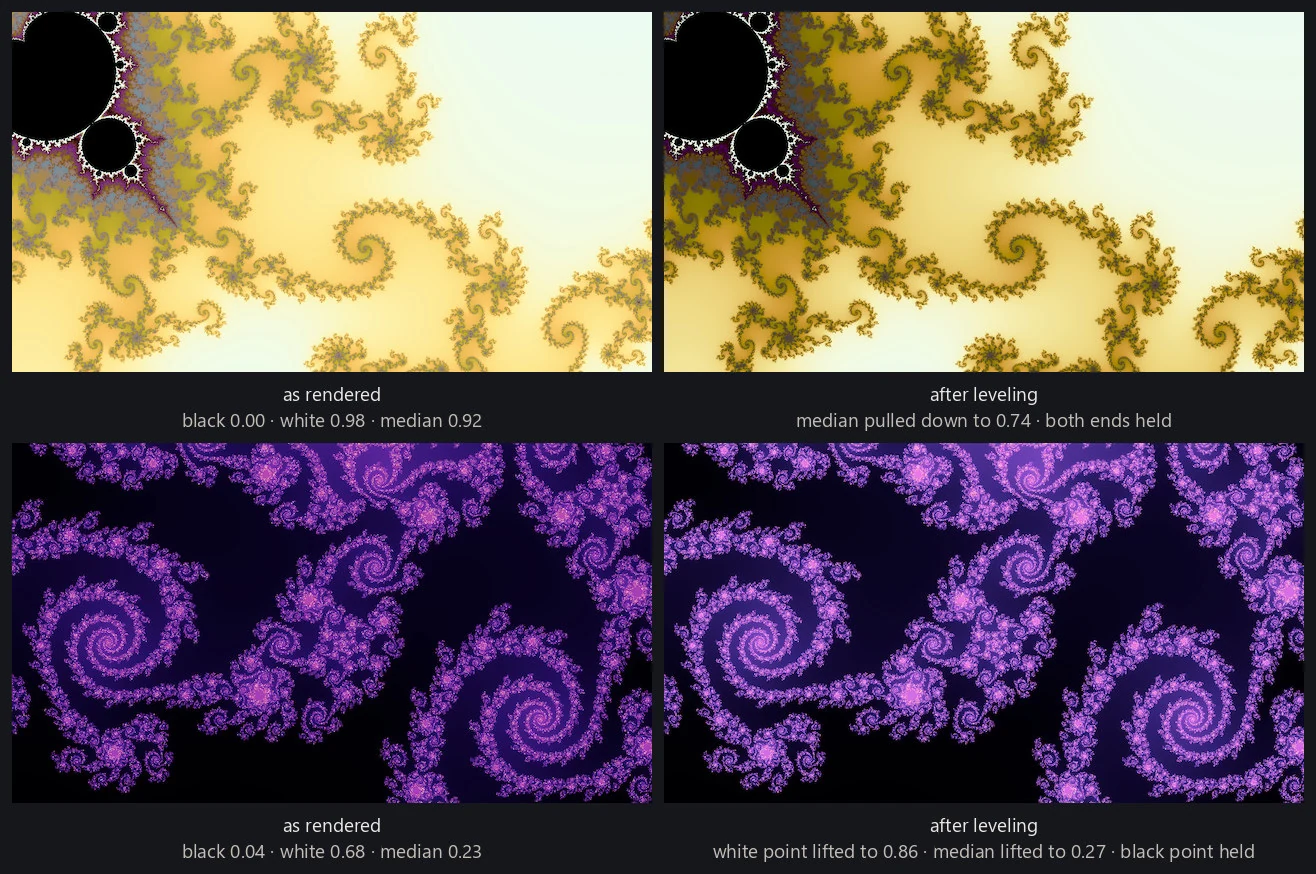
Autolevel
A palette that sits well on one location can land too dark, too light, or too flat on another. Autolevel corrects that after the pick. It measures a black point, a white point, and the median lightness of the finished picture, and compares them against a band taken from finished wallpapers I'd already accepted. Inside the band it does nothing. Outside it, it bends the palette's stops along a lightness curve that keeps their order, and redraws the picture. It skips the direct traps, whose tone comes from their flat ground, and itinerary, where bending the palette would move each sample by a different amount.